Scheduling and coverage
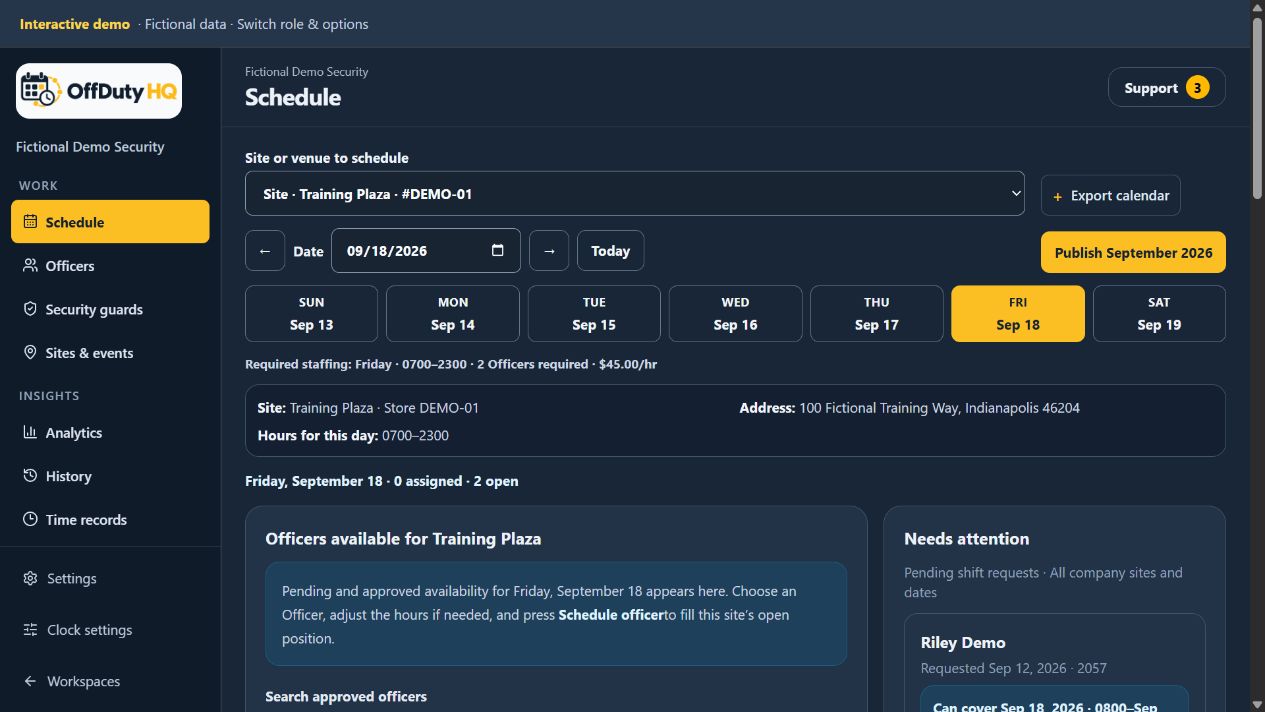
Collect availability, give schedulers their locations, and see the hours that still need coverage.

Police, guard, and mixed-team scheduling
Collect availability, publish schedules, and keep unfilled hours visible—all in one company workspace.
Schedule off-duty Police Officers, Security Guards, or mixed teams. Add timekeeping and shift-linked reporting when your company needs them.
Fictional demo data. No account required. Joining as an Officer? Accounts are free.
Company agreement and billing terms are reviewed before activation.
Less chasing. A connected workflow.
Automatic reopening and company-wide opening alerts are part of the software—not an OffDutyOPS add-on.
The assigned Officer submits a call-off through their shift, while that action is available.
OffDuty HQ releases the coverage and flags the shift for attention automatically.
In-app notices are created and individual emails are queued for all approved company Officers—not just one scheduler’s stores.
Review the response and assign coverage through your company’s scheduling and request workflow.
Partial assignments leave the remaining hours open. Early checkout reopens uncovered time without changing recorded work.
Published schedules and assignments also drive notifications. Delivery depends on the channel and current recipient eligibility. Email delivery is not guaranteed; an alert does not guarantee replacement coverage. See how call-offs and alerts work.
One company workspace for scheduling, people, time, and reporting. One Officer workspace for the companies that approve them.
Collect availability, give schedulers their locations, and see the hours that still need coverage.
Invite your vetted roster, review requests, and keep approved Officers informed about openings.
Connect time, activity, contacts, and incidents to the assignment, with company-controlled access and exports.
From assignment to activity
Start with the assigned shift. Add activity, contacts, and incidents without re-entering the company, site, and Officer for every record.
Enter the shift workspace after check-in, or after the assignment starts when check-in is disabled. Reporting must be enabled by your company.
Record timestamped activity and specific location details, such as a building entrance or bus stop.
Add a field contact, linked trespass notice or safety caution, or an incident report.
Authorized staff can filter and export reports. Person Search connects your company’s contacts, trespasses, and cautions.
Company administrators choose the tools Officers can use in Account & settings. Use scheduling alone or enable reporting. Incident reports are retained for 60 days from submission; export records you need to keep before that period ends.
Access depends on company settings and permissions. These are company operational records—not official police reports, a public trespass registry, or an evidence-management system. No cross-company person-data sharing or continuous GPS tracking.
A transparent workflow estimate
Compared with an email-and-Google-Calendar workflow for reviewing availability, choosing placements, updating schedules, and handling call-offs and pickups. Based on an internal workflow model—not a measured customer result or a guarantee. Actual savings vary.
This example follows one Officer over four complete pay weeks in a five-store company, with one position at each store for 14 hours a day, seven days a week. The Officer offers 20 dates, including five special start or end times, and receives 12 assignments totaling 152 hours: 38 hours each week. These are per-Officer estimates, not the time to schedule all five stores.
Assignment count and task durations are assumptions, not measured facts. Both workflows include comparing other Officers’ availability, human placement decisions, weekly checks, and a final review with three requested changes. A 10% call-off rate adds an average of 1.2 call-off and replacement cycles. The comparison assumes Officers submit structured availability in OffDuty HQ.
| Coordinator scenario | Manual | OffDuty HQ | Estimated reduction |
|---|---|---|---|
| Slow | 56.4 min | 31.7 min | 44% |
| Moderate | 37.5 min | 22.3 min | 41% |
| Fast | 25.6 min | 15.4 min | 40% |
The moderate scenario allows about 5.4 versus 3.2 minutes to process availability, 18 versus 12 minutes to compare options and choose placements, 3 versus 1 minute for weekly checks, and 3.7 versus 2.6 minutes to enter assignments. Both include 3.5 minutes for review and corrections. Manual call-off and replacement handling adds about 4 minutes. These are modeled allowances, not observed completion times.
Zero coordinator handling time for call-offs assumes each opening is fully filled by an eligible Officer through auto-approval, without conflicts or staff review. Approval requests, unfilled openings, and other exceptions add work. The software helps with scheduling decisions; it does not automatically optimize the roster or enforce a 38-hour target.
Estimated reduction = (manual time − software-assisted time) ÷ manual time. The 40% headline rounds the moderate scenario’s approximately 41% reduction. Initial onboarding, migration, training, Officer submission time, ongoing monitoring, and unresolved staffing exceptions are excluded. Actual results depend on availability restrictions, manual shortcuts, and company workflow; these scenarios are not measured benchmarks or a guaranteed range.
Scheduling, call-off opening alerts, clock in/out, permissions, reports, and exports are standard functionality—not separate add-ons.
$75
first site per month; $50/month each additional
$400
per month
$30
total per event
Optional add-on · OffDutyOPS
OffDuty HQ is the software. OffDutyOPS adds hands-on scheduling and coordination for eligible companies, using the same availability, openings, assignments, and time records. You do not need OffDutyOPS to use the software’s scheduling automations.
$50 per active site / month + $1 per filled hour
Base pricing for basic sites; filled hours are hours assigned and filled, not unfilled openings. Contact us for a tailored scope and quote. Eligibility and final terms are reviewed before activation.
Ask about OffDutyOPSOffDuty HQ is a company workspace for scheduling off-duty Police Officers, Security Guards, or mixed teams. It connects availability, sites, venues, events, open shifts, alerts, time records, post orders, and reporting.
Yes. When the company enables reporting, Officers open their shift workspace after check-in, or once the shift starts if check-in is disabled. The assigned Officer, company, site, and shift provide the context for timestamped activity entries, field contacts, and incident reports. Officers can add specific location details such as a bus stop or building entrance.
Authorized users can use Person Search within their company to search by last name, first name, and date of birth, then review linked field contacts, trespass notices, and safety cautions. Trespass and caution sections stay linked to their field contact. Records are not shared between companies and do not replace official police reporting or determine legal authority.
Yes. In Account & settings, company administrators choose which Officer tools to enable, including check-in/out, call-offs, incident reporting, activity logs, and field contacts with optional trespass and caution sections. Officers see the workflow that the company enables, subject to their permissions.
A successful call-off automatically reopens the position, flags the shift for attention, creates in-app notices, and queues individual emails for all approved company Officers. Recipient eligibility and the opening are checked before delivery. A replacement still follows your company’s scheduling and request workflow.
No. Assigned stores limit which schedules a staff member can change. Officers still submit availability across the company and approved company Officers remain in the company-wide opening-notification audience. Staff viewing depends on their action permissions.
No. Each security company remains responsible for independently verifying identity, law-enforcement status, agency authorization, qualifications, and eligibility before approving or inviting an Officer.
No. Company workspaces, detailed calendars, rosters, post orders, and reports are separated by company and protected by server-side permissions. Officers see detailed company information only after that company approves them.
Yes. Officers and companies can use modern desktop and mobile browsers. The responsive web app can also be installed on supported devices; it is not presented as a native iOS or Android app.
Precise device location is requested only at check-in and checkout when the device and browser permit it. It is not continuous location tracking. There is no automatic clock-out; authorized company staff can explicitly close and correct a time record.
OffDutyOPS is an optional managed scheduling and coordination add-on for eligible companies using OffDuty HQ. Base pricing for basic sites is $50 per active site per month plus $1 per filled hour. Eligibility, service scope, and final billing terms are reviewed before activation.
Explore the company and Officer experience with fictional data before creating an account.
Open the interactive demo