Skip to content

One company. Every store, venue, and event.

Bring recurring retail coverage and one-time events into the same company workspace. Keep each location’s hours, requirements, and assignments attached to the right job.

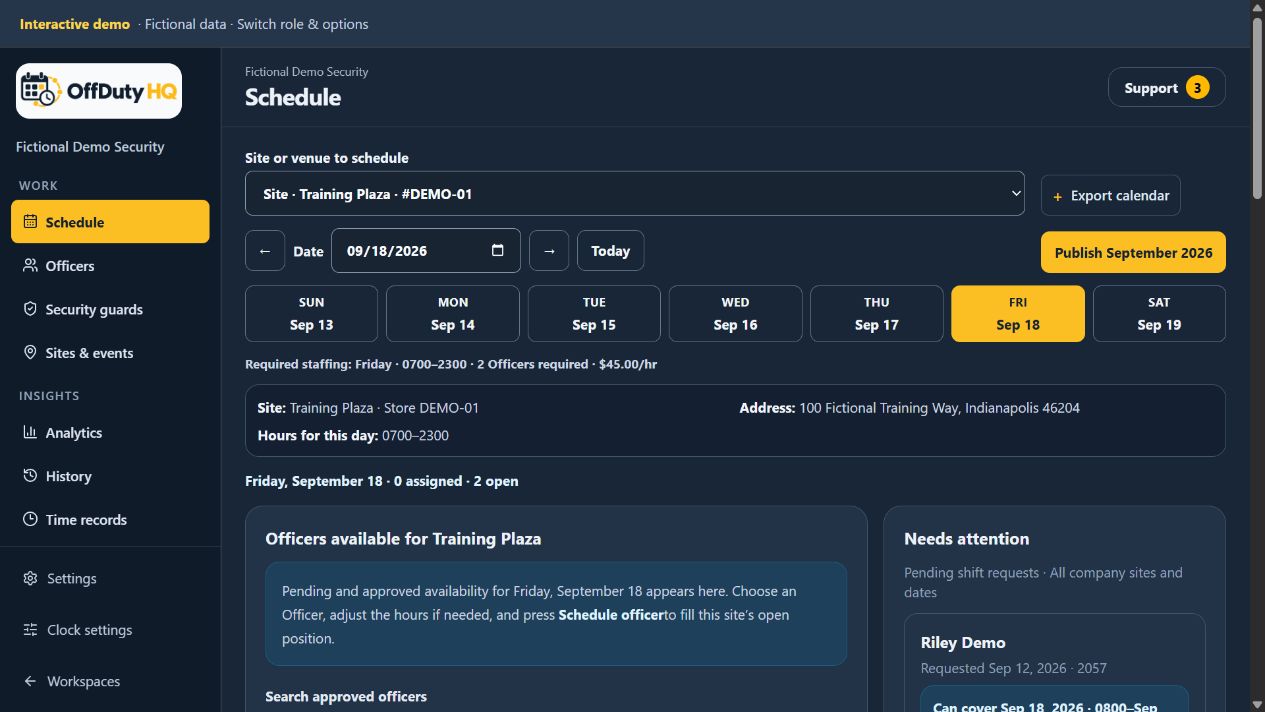
Company schedule showing Training Plaza, daily staffing requirements, availability, and pending requests
Choose the location and day, then review staffing and available Officers together. Fictional demo data. Select image to enlarge.

Build from the location’s real requirements

Set up recurring sites, venues, and events with the hours and number of Officers needed. The schedule shows required staffing alongside assigned and open positions, so an empty slot is visible rather than buried in a calendar note.

Put equipment requirements on the position

Select Police Car/Lights and In County Radio for each position that needs them. If three Officers work a location and only one needs a patrol car or radio, put those requirements on that position—not on every Officer’s assignment.

Keep publication deliberate

Build the schedule, review coverage, and publish assignments or openings when ready. Officers use the published schedule rather than interpreting names and hours typed into all-day calendar events. Calendar exports are available for personal calendar workflows; they are not a two-way Google Calendar sync.

How it works

  1. Create the site, venue, or event and enter its staffing requirements.
  2. Choose which staff can schedule it, then select a date in Schedule.
  3. Review submitted availability, choose an Officer, and adjust the assignment hours if needed.
  4. Review the publication confirmation: monthly publishing includes all draft shifts within your permitted company/store scope, not just the location currently displayed.

Common questions

Can one Officer cover part of an opening?

The scheduling workflow supports partial coverage. Uncovered time remains open for another assignment, subject to the company’s scheduling rules.

Can different schedulers manage different stores?

Yes. Administrators choose assigned stores for each scheduler without splitting the company’s Officer availability into separate pools.