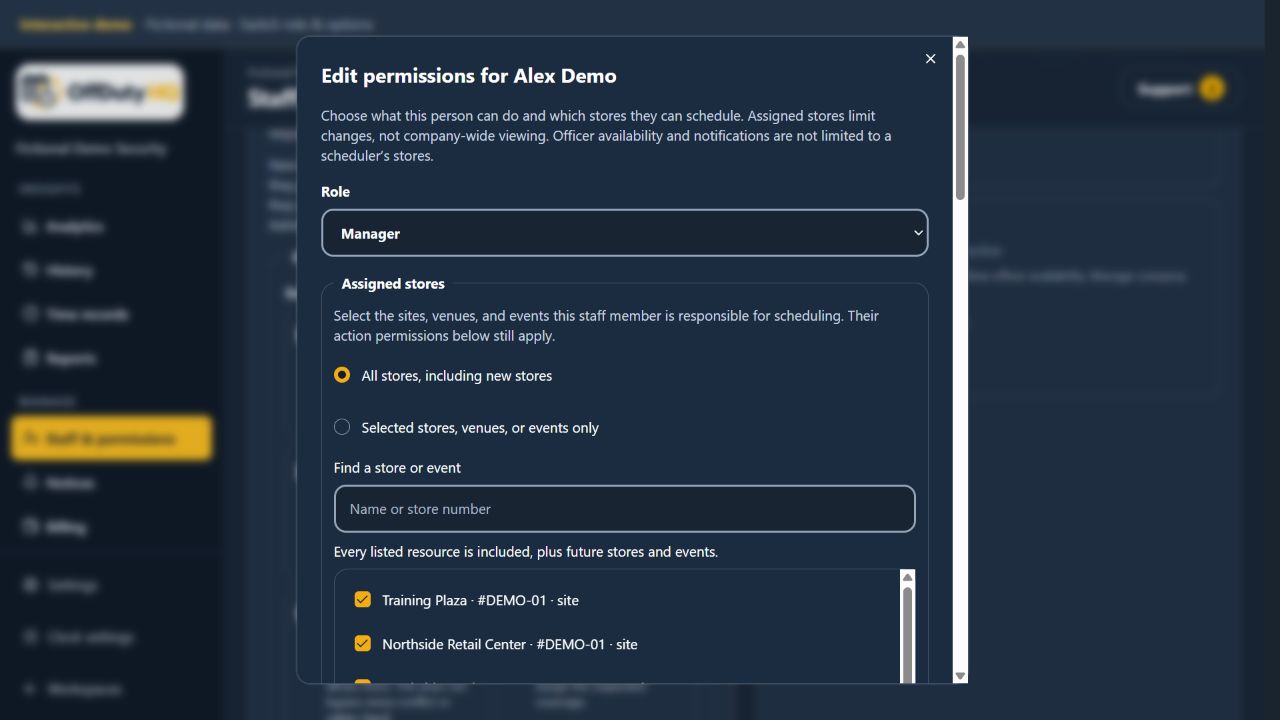
Edit the person’s permissions in one place
Open Staff & permissions and select Edit permissions beside the staff member. Choose their action permissions and Assigned stores. All-store access includes future locations; selected-store access includes only the resources chosen. Selecting none makes scheduling view-only, while permitted viewing remains available.
See the company, change only assigned schedules
Keep viewing permissions enabled so schedulers can see company-wide schedules, Officers, and availability. Assigned stores limit scheduling changes, not the company-wide information needed to coordinate coverage. Action permissions still determine which operations each person may perform.
Change responsibilities without rebuilding schedules
Add or remove assigned locations when responsibilities change. When creating a new site, venue, or event, select responsible staff. Choosing a venue includes its events. Removing scheduling access does not delete the existing shifts.