Skip to content

Invite your vetted roster without onboarding one email at a time.

Bring an existing, vetted Officer roster into OffDuty HQ with a reviewed invitation workflow. Company-issued invitations carry approval so those Officers do not have to wait in another approval queue after joining correctly.

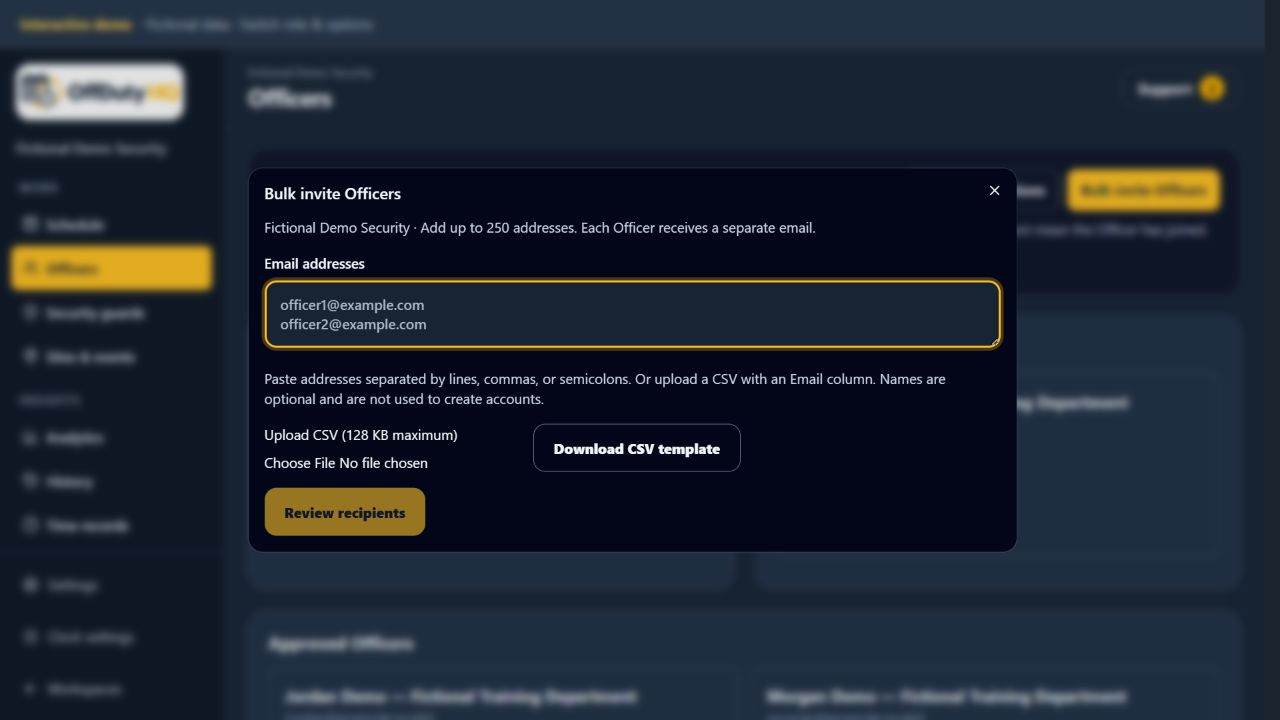
Bulk Officer invitation form in the fictional company workspace
Review recipients before sending company invitations. Fictional demo data. Select image to enlarge.

Prepare the list, then review it

Paste Officer email addresses or upload the supported roster file. Review recipient validation before sending. The workflow identifies invalid addresses, duplicates, already-approved Officers, and existing invitations so the company can see what will happen before confirming.

Approve the right person—not anyone with a link

An eligible existing Officer account receives company approval when the company confirms the reviewed batch. A new Officer receives approval after completing account setup with the invited, verified email address while the invitation is valid. The Officer’s agency state must match the company’s state. Forwarding an invitation does not remove the account-identity requirement.

Track invitations separately from the roster

Review pending, joined, expired, cancelled, and failed invitations, with controlled resend and cancel options. Invitations are sent individually rather than exposing a mailing list. Sending an invitation is not proof of email arrival or account completion.

How it works

  1. Open Officers and the bulk invitation workflow with invitation permission.
  2. Paste addresses or upload a roster and review validation results.
  3. Confirm the company and recipients, then send the individual invitations.
  4. Track invitation status. New Officers complete setup using the invited, verified email address and an agency in the company’s state.

Common questions

Does an invited Officer need a second company approval?

No separate approval is needed for an eligible existing Officer confirmed in the batch, or a new Officer who completes setup through a valid invitation with the matching verified email and agency state. Ineligible or revoked accounts require individual review.

Can we correct or cancel a pending invitation?

The invitation tracking workflow includes cancellation and controlled resend. Review the address before sending another invitation.